
Technical SEO is the backbone of how search engines find, read, and show your website. If you run a local business or manage a site, understanding technical SEO helps you get seen by the right people. This article walks you through what technical SEO is, why it matters, common problems, and a clear checklist you can use.
Table of Contents
ToggleKey Takeaways
- Technical SEO makes your site easy for search engines to crawl, render, index, and rank.
- Fixing basic technical issues improves visibility, speed, and user experience for local customers.
- You don’t need to be a developer to start—basic checks and tools can deliver big wins.
Technical SEO Explained
Technical SEO covers the technical tasks that help search engines understand and trust your site. It focuses on the website’s structure, speed, mobile performance, security, and how pages are served.
Think of it as making the site machine-readable and user-friendly. When search engines can easily access and process your pages, your content has a better chance to rank.
What Technical SEO Actually Does for Your Website
Technical SEO ensures pages load fast, links work, and search engines can find every important page. It stops problems like duplicate content and broken links from hurting your visibility.
For local businesses, this means customers can find opening hours, addresses, and services quickly. A technically solid website converts searchers into visitors and customers.
How Search Engines Process Technical Signals
Search engines look at many technical signals to decide whether a page is worth showing. These include site speed, mobile-friendliness, secure connections (HTTPS), structured data, and proper indexing rules.
When these signals are positive, search engines can display your content in search results, local packs, and rich snippets more reliably.
How Technical SEO Works (Search Engine Perspective)
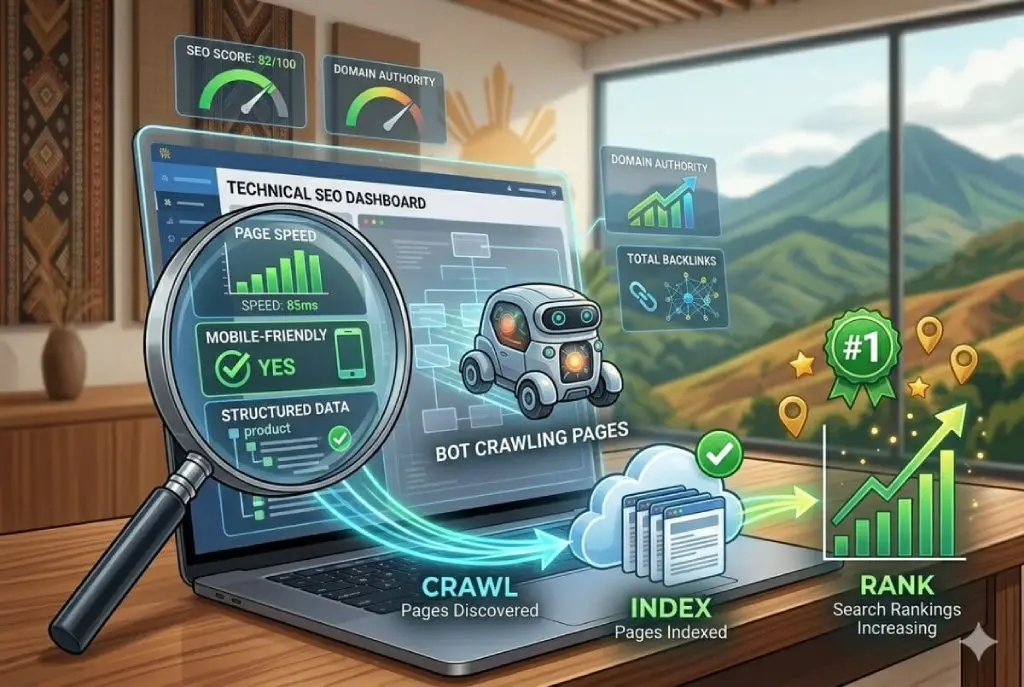
Understanding the search engine workflow—crawling, rendering, indexing, and ranking—makes it easier to fix issues that block visibility. Each step builds on the previous one.
Crawling: How Search Engines Discover Pages
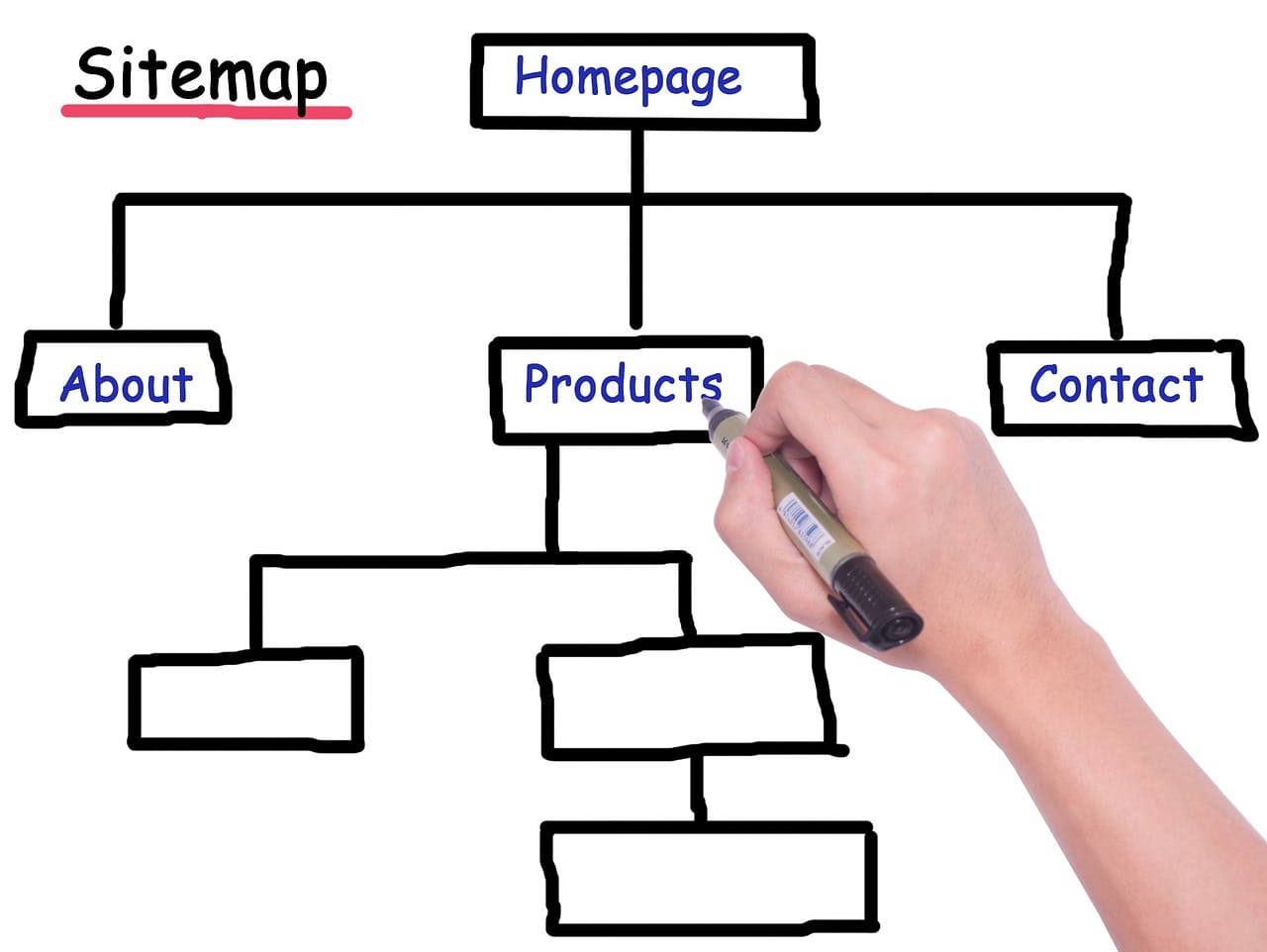
Crawling is how search engines find pages on the web. They follow links and sitemaps to discover content. If pages are hidden behind forms, blocked in robots.txt, or not linked, crawlers may miss them.
To help crawlers, provide a clean sitemap, avoid disallow rules for important pages, and keep internal linking logical and consistent.
Rendering: How Content is Processed
Rendering is how search engines process the code and resources to see the final page. JavaScript-heavy sites can cause rendering delays or missing content if scripts aren’t handled properly.
Use server-side rendering, pre-rendering, or ensure critical content is available in HTML. This helps search engines and mobile users access content fast.
Indexing: How Pages Are Stored
Indexing is when a page is stored in a search engine’s database. If a page is noindexed, blocked, or returns errors, it won’t be indexed and won’t appear in search results.
Check indexing status in Google Search Console and fix issues like noindex tags, canonical problems, or 404 errors to get pages indexed.
Ranking: How Technical Signals Influence Visibility
Ranking is where search engines decide which pages to show for a query. Technical factors influence ranking by affecting crawlability, page experience, and perceived trust.
Fast, secure, mobile-friendly sites with clear structure and minimal errors tend to rank better and get more traffic over time.
Why Technical SEO Matters
Technical SEO matters because it affects every stage of a user’s journey. If search engines can’t access or understand your site, your content won’t reach potential customers.
For local businesses, that means fewer calls, store visits, and bookings. Good technical SEO supports both search visibility and on-site conversions.
Impact on Crawl Efficiency and Index Coverage
Crawl efficiency means search engines spend their time on the pages that matter. If your site wastes crawl budget on low-value pages, important pages may be missed.
Optimize your site structure, remove thin or duplicate pages, and use sitemaps to guide crawlers to priority content.
Relationship Between Technical SEO and Rankings
Technical SEO is not the only ranking factor, but it sets the stage. If your site is slow, insecure, or not mobile-ready, other ranking efforts like content and links will be less effective.
Fixing technical problems raises the floor so your content and link-building efforts can perform better.
How Technical SEO Supports Content and Authority
Technical SEO helps your best content get indexed and presented correctly. It also enables features like structured data that increase click-through rates.
When search engines understand your site structure, they can show relevant pages for local queries, improving authority and visibility in your area.
Technical SEO vs On-Page SEO vs Off-Page SEO
Technical SEO focuses on site performance and accessibility. On-page SEO focuses on content and keyword use on each page. Off-page SEO covers links, reviews, and external signals.
All three work together. Technical SEO makes sure your pages are accessible, on-page SEO makes them relevant, and off-page SEO helps them rank higher.
Common Technical SEO Issues That Kill Rankings
Pages Not Indexed
If pages aren’t indexed, they won’t appear in search results. Common causes include noindex tags, canonical mistakes, robots.txt blocking, and server errors. Use tools like Google Search Console to find non-indexed pages and correct the underlying issue.Duplicate Content Problems
Duplicate content confuses search engines and dilutes ranking signals. Common sources include URL parameters, printer-friendly pages, and https/http duplicates. Resolve duplicates with canonical tags, redirects, or by consolidating content to a single preferred URL.Slow Page Load Speed
Slow pages frustrate users and reduce conversions. Speed is also a ranking factor for search engines, especially on mobile. Improve speed by optimizing images, using browser caching, minimizing JavaScript, and choosing a fast hosting provider.Broken Links and Crawl Errors
Broken links and server errors create poor user experiences and waste crawl budget. They signal neglect to search engines. Regularly scan for 404 errors, fix broken internal links, and set up proper 301 redirects for moved pages.Basic Technical SEO Checklist
Use this checklist to tackle the essentials. These items are beginner-friendly and deliver measurable improvements you can track.
- Set up Google Search Console and Bing Webmaster Tools to monitor indexing and errors.
- Create and submit an XML sitemap with your important URLs.
- Ensure robots.txt doesn’t block important pages or assets like CSS and JS.
- Fix server errors and broken links; implement 301 redirects where needed.
- Use HTTPS everywhere and renew your SSL certificate on time.
- Optimize site speed: compress images, leverage caching, and minify CSS/JS.
- Make your site mobile-friendly using responsive design and viewport tags.
- Use canonical tags to avoid duplicate content issues.
- Add structured data (schema) for local business details, reviews, and products.
- Monitor core web vitals and improve metrics like LCP, FID, and CLS.
Essential Fixes for Beginners
Start with simple fixes that don’t require deep technical skills. Many can be done through your content management system (CMS) or with plugins.
- Install an SEO plugin to manage meta tags, sitemaps, and robots settings.
- Enable gzip compression and browser caching via your hosting control panel.
- Use lazy loading for images to improve perceived speed on long pages.
- Check that your contact info and NAP (name, address, phone) are consistent across your site and local listings.
Conclusion
Technical SEO ensures search engines can find, understand, and trust your website. It improves user experience and sets the foundation for content and local visibility.
Start with the basic checklist, fix high-impact issues first, and monitor changes. As a local business, these improvements help more customers find and contact you online.
FAQs About Technical SEO
Is Technical SEO Hard to Learn?
No. Basic technical SEO is approachable. You can learn key checks and fixes without coding knowledge. As you grow, you may pick up more advanced skills.
Many tools and guides simplify the process so you can focus on results, not jargon.
How Long Does Technical SEO Take to Show Results?
Some changes, like fixing a broken link or updating robots.txt, can show results in days. Larger improvements like speed optimization or site restructures may take weeks or months to fully reflect in rankings.
Track changes in Search Console and through organic traffic to measure impact over time.
Do You Need Coding Skills for Technical SEO?
Not always. Many fixes can be implemented with plugins, CMS settings, or by following step-by-step guides. For complex issues, a developer may be needed.
You can still do a lot: sitemaps, redirects, SSL, and many speed improvements are achievable without code.
Can Technical SEO Alone Improve Rankings?
Technical SEO is necessary but not sufficient. It prepares the site so your content and links can perform. Without quality content and local signals, technical fixes won’t bring sustained ranking gains alone.
Combine technical work with content strategy and local SEO to get the best results.