
Your robots.txt file is a plain text document sitting at the root of your domain, and a single typo in it can wipe your best-performing pages from Google search results overnight. Robots.txt mistakes that block pages you actually want ranked are more common than most site owners realize, and the damage they cause is often invisible until your organic traffic collapses.
Table of Contents
ToggleKey Takeaways
- A misplaced Disallow rule can prevent Googlebot from crawling your most valuable pages without triggering any error alerts.
- Google stopped honoring noindex directives inside robots.txt files back in September 2019, so any rules attempting to block indexing that way are now ignored.
- Blocking CSS, JavaScript, or image files inside robots.txt prevents Googlebot from rendering your pages correctly, which can suppress rankings.
- Each subdomain requires its own separate robots.txt file because search engines treat subdomains as independent websites.
- Staging environments that block all crawlers must never be migrated to production without removing those blanket Disallow rules first.
- Regular validation using Google Search Console keeps errors from compounding over months undetected.
Why Robots.txt Is More Dangerous Than It Looks
Most people treat their robots.txt file as a set-and-forget technical item. That assumption is one of the most expensive mistakes in technical seo.
The file lives at yourdomain.com/robots.txt and acts as the first checkpoint for search engine bots, including AI crawlers and LLM scrapers, that visit your site. It tells those bots which directories and files they are allowed to access. For large Philippine e-commerce sites or national news portals handling thousands of URLs, this file is critical for managing crawl budget. It directs bots away from low-value system pages so that high-value content gets indexed efficiently.
The danger is that robots.txt uses no visual editor, no warnings, and no rollback button. One incorrect rule at the top of the file can cascade across your entire domain structure.
The Most Damaging Robots.txt Errors You May Already Have
Thinking “Noindex” Still Works Inside Robots.txt
This is the most persistent myth in the field. Google officially stopped honoring noindex directives inside robots.txt files in September 2019. If you added a noindex rule inside robots.txt years ago, Google is now ignoring it completely. The correct method to block a page from being indexed is to use a page-level meta robots tag (meta name=”robots” content=”noindex”) or an X-Robots-Tag HTTP header. Checking your current file for noindex entries should be your first audit step.
Blocking CSS, JavaScript, and Image Files
Googlebot renders pages the same way a browser does. It needs access to your CSS stylesheets, your JavaScript files, and your images to understand what a page actually contains and how it is structured. A common error is adding Disallow rules for /wp-content/ or /assets/ directories to reduce server load, which accidentally blocks every stylesheet and script on the site. When Googlebot cannot render your pages correctly, it cannot evaluate them properly, and rankings suffer. Understanding what is on page seo helps clarify why rendering access is directly tied to how Google scores your content quality.
Case Sensitivity Errors
Robots.txt is strictly case-sensitive. A rule written as Disallow: /Blog/ will not block /blog/ or /BLOG/. Philippine SEO practitioners working on WordPress sites sometimes write path rules in mixed case without realizing their actual URL slugs use lowercase. The result is a Disallow rule that blocks nothing it was meant to block, or one that accidentally blocks a directory it was never targeting at all.
Wildcard and Dollar Sign Misuse
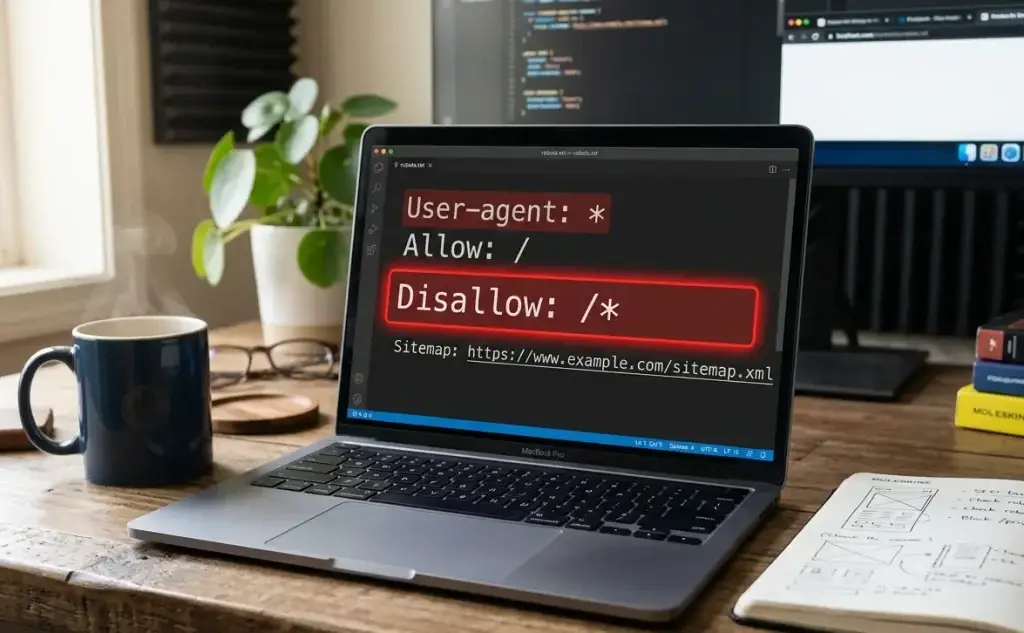
Wildcard characters (*) and the dollar sign ($) are powerful but easy to misapply. A rule like Disallow: /*?session= is meant to block URLs with session parameters. Written incorrectly as Disallow: /* it blocks the entire website. This kind of overreaching syntax error has de-indexed full domains within days of deployment. According to Google Search Central documentation, the dollar sign anchors a match to the end of a URL, so Disallow: /.pdf should block PDF files. One misplaced character changes the scope dramatically.
Subdomain Blindness
If you run a separate blog at blog.yourdomain.com or a store at shop.yourdomain.com, those subdomains need their own individual robots.txt files. Search engines treat each subdomain as a separate entity. Placing a robots.txt file only at the root domain does not extend its rules to your subdomains. This often means a staging subdomain with a block-all rule gets overlooked during launch preparations.

The Staging Environment Disaster
One of the fastest ways to lose all organic traffic overnight is to migrate a staging robots.txt to your live production site. Staging environments almost universally include:
User-agent: *
Disallow: /
This single directive tells every search engine bot to crawl nothing. When this file goes live, Googlebot stops crawling within hours. Pages that were ranking drop out of results as cached versions expire. For an enterprise site in the Philippines generating ₱500,000 or more in monthly organic revenue, even three days of de-indexing can have serious financial consequences.
Any foundational SEO audit guide will list checking your live robots.txt file as one of the first steps, precisely because this error is that common.
Robots.txt Best Practices That Protect Your Rankings
Follow these structural rules to keep your file safe and effective:
- Place the robots.txt file in the topmost directory of your domain. Search engines ignore the file if it is placed in a subdirectory.
- Use relative URLs in your directives, such as Disallow: /login, rather than absolute URLs with the full domain path, which crawlers may misinterpret.
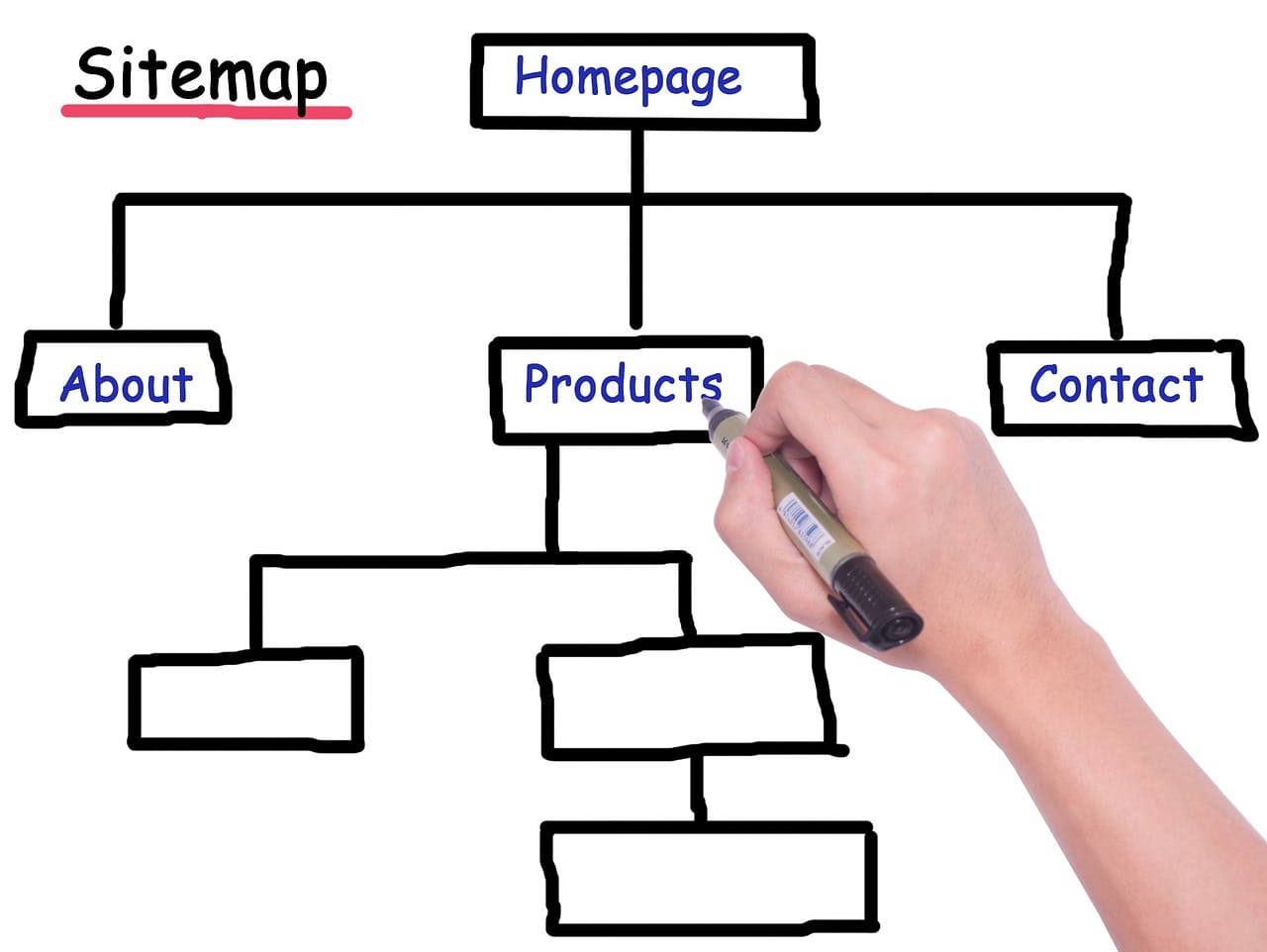
- Include your XML sitemap URL inside the file. This helps secondary search engines like Bing and DuckDuckGo discover your site structure faster.
- Validate rules before deploying. Use the Google Search Console URL Inspection Tool or a third-party crawler to test each directive.
- Never edit the live robots.txt file directly. Make changes in a sandbox environment, then deploy after review by an experienced developer.
Even good website navigation relies on Googlebot actually being able to crawl your site structure. A clean robots.txt is the prerequisite for all of that to work.
The same goes for your keyword strategy: keyword research only pays off if the pages you’re targeting are actually crawlable, since ranking for a keyword is impossible when the page behind it never gets indexed in the first place.

Recovery Steps When the Damage Is Already Done
If you find that a robots.txt error has already affected your indexed pages, act immediately:
- Correct the robots.txt file and verify the fix is live at yourdomain.com/robots.txt.
- Request a re-crawl through Google Search Console or Bing Webmaster Tools.
- Submit an updated XML sitemap to accelerate re-indexing of affected pages.
- Monitor the Coverage report in Google Search Console daily until all affected URLs return to indexed status.
Recovery from a robots.txt disaster can take days to weeks depending on how often Googlebot revisits your domain.
You can find more articles covering these technical topics in the blog if you want to go deeper on crawl management and site health.
Things to Know
- Google has not honored noindex inside robots.txt since September 2019, but many legacy files still contain these defunct rules.
- A block on /wp-includes/ or /wp-content/ in WordPress environments often accidentally removes access to essential JS and CSS files.
- Robots.txt rules are not kept secret from the public. Anyone can view your file by visiting yourdomain.com/robots.txt, including competitors.
- A single extra space before a directive can cause that rule to be ignored entirely, which can mean a page you intended to block remains open to crawling.
Ready to Audit Your Robots.txt Before It Costs You Rankings?
Open your browser right now, type yourdomain.com/robots.txt, and read every line carefully. Check for any Disallow: / rule that was not intentional, any noindex entry that is no longer being honored, and any blocking rule that touches your CSS or JavaScript directories. Then validate the full file inside Google Search Console’s URL Inspection Tool before your next site deployment.
Frequently Asked Questions
How do I check if my robots.txt is blocking important pages?
Go to Google Search Console, open the URL Inspection Tool, and test the URLs you suspect are being blocked.
Enter each URL individually and check whether Googlebot can access it. You can also use the robots.txt Tester inside Search Console to simulate how specific rules apply to any given URL path.
Can robots.txt block a page from appearing in Google search results?
Blocking a URL in robots.txt prevents crawling but does not guarantee the page will be removed from search results.
Google can still index a URL it has never crawled if other pages link to it. To fully remove a page from search results, use a noindex meta tag or the URL Removal Tool in Google Search Console.
Does robots.txt affect all search engines or just Google?
Robots.txt is a widely respected standard that most major search engines follow, including Bing, Yahoo, and DuckDuckGo.
However, compliance is voluntary. Malicious bots and scrapers typically ignore the file entirely. For privacy protection, use server-level access controls rather than relying on robots.txt alone.
How often should I review my robots.txt file?
Review your robots.txt file after every major site migration, theme update, CMS upgrade, or new directory creation.
For high-traffic websites, a monthly check is a reasonable minimum. Any time a developer touches the file structure of your domain, the robots.txt should be re-validated immediately afterward.
What happens if robots.txt is missing from my site?
If no robots.txt file exists, search engines will crawl all accessible pages on your domain by default.
This is not automatically harmful, but it means no crawl budget management is in place. For large sites with thousands of URLs, this can lead to Googlebot spending time on low-value system pages instead of your revenue-generating content.
The Bottom Line on Robots.txt Mistakes
Robots.txt mistakes that block pages you actually want ranked are silent, fast-acting, and expensive. The file is small, but its consequences are outsized. Getting it right means treating it as a living document rather than a one-time setup task, with a standing rule that no developer pushes changes without a checklist review.
Your rankings, your crawl budget, and your organic revenue all depend on it.